WaveSentinel / AirGuard WIDS
Wireless IDS lab project for authorized 802.11 monitoring.
Case study: WaveSentinel / AirGuard WIDS
WaveSentinel is a defensive wireless intrusion detection project for authorized lab environments. It monitors 802.11 frames, raises wireless alerts, stores runtime evidence, and presents findings through dashboard views.
Problem it solves
Wireless labs generate noisy packet streams. WaveSentinel turns monitor-mode traffic into readable status, alert feeds, and analyst filters so suspicious behavior is easier to explain and review.
Detection focus
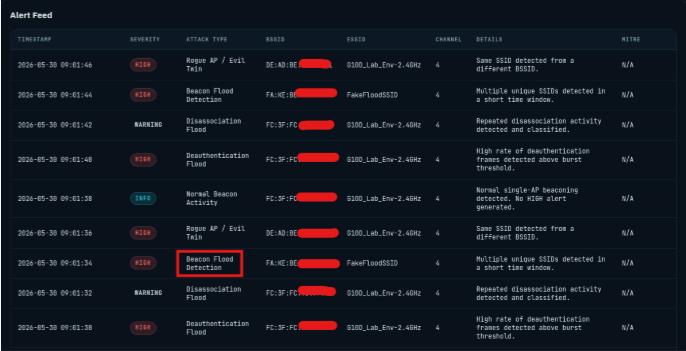
The project focuses on deauthentication flood indicators, beacon flood behavior, suspicious 802.11 frame patterns, disassociation activity, and rogue AP or evil twin indicators shown in the alert workflow.
Key Features
Captures live 802.11 traffic from a monitor-mode wireless adapter.
Tracks access points, clients, beacon activity, deauthentication frames, and suspicious traffic patterns.
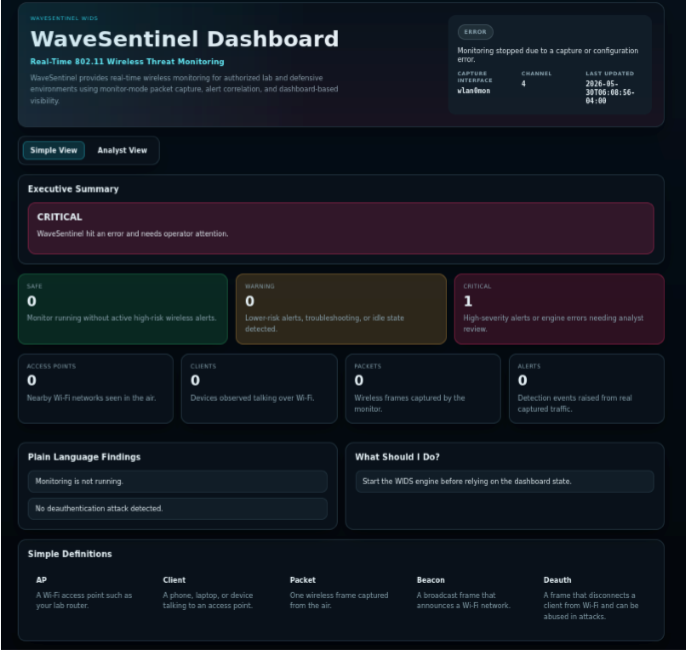
Provides Simple View and Analyst View dashboard modes for different audiences.
Writes runtime evidence to alerts, devices, traffic logs, status, and activity log files.
Uses severity, attack type, BSSID, ESSID, and channel filters in the analyst workflow.
Includes safety controls such as clean session reset and stale lock handling.
Tech Stack
Architecture and Workflow
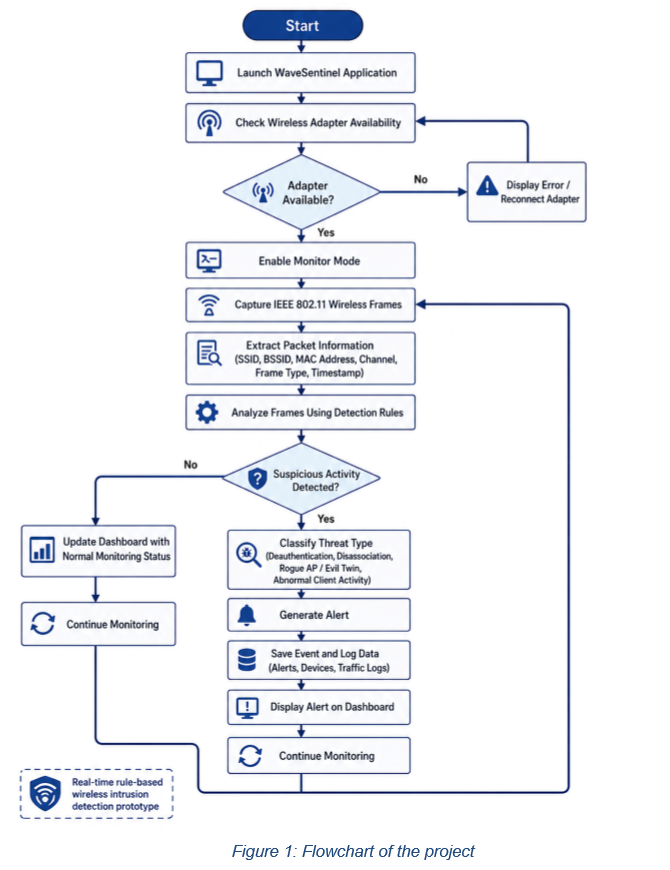
- Enable monitor mode on a supported adapter and lock the capture channel.
- Capture IEEE 802.11 frames with Scapy and extract frame metadata.
- Apply detection rules for deauthentication floods, beacon floods, disassociation activity, and rogue AP or evil twin indicators.
- Persist alerts and device state into local CSV/JSON files.
- Render status, recommendations, filters, and alert feeds in the dashboard.
How it helps wireless labs
The Simple View supports quick operator decisions, while Analyst View gives raw inventory and filters for deeper investigation. Runtime files keep a record of alerts, devices, traffic logs, status, and activity.
Future improvements
- Tune thresholds across more adapters, channels, and crowded lab environments.
- Add stronger rogue AP baselining and known-network comparison.
- Improve packet capture summaries for replay-free lab demonstrations.
- Package dashboard screenshots and operator guides for easier setup.
Compare Work
Compare this tool with the AWD-Watchdog defensive monitoring project.
View AWD-Watchdog project